In the last month, there has been a significant increase in the infrastructure of Ergo’s ecosystem. Until recently, users were limited in their choice of wallets, but now Ergonauts have several options for storing their ERG, native tokens, and NFTs. Over the next couple of weeks, we will offer how-to guides for each of these new wallets so that all users, new and existing, can feel comfortable and confident navigating the various Ergo wallets.
For this blog, we will go over how to install and use the new Nautilus Wallet. If you are familiar with crypto wallets and how to use them, you can proceed to downloading the wallet here. If you have any questions about this wallet, you can also subscribe to the Nautilus Telegram Channel and directly interact with the developer and other community members.
Nautilus Wallet Overview
Current Features
- Web browser extension wallet
- dApp connectivity allows interaction with Ergo dApps
- Privacy mode
- Fast and efficient synchronization with the blockchain
Future features
- Ledger integration (hardware wallet)
- ErgoMixer integration
- Stealth Addresses
- NFT display
- DexyUSD integration
- ErgoDEX integration for in-wallet swaps
- ErgoDNS integration
- ErgoHandle integration
Installation
The Nautilus Wallet is currently only available for chromium based browsers. For the purposes of this demonstration, we will go through the setup in Google Chrome.
- Download the Nautilus Wallet from the Google Web Store: https://chrome.google.com/webstore/detail/nautilus-wallet/gjlmehlldlphhljhpnlddaodbjjcchai
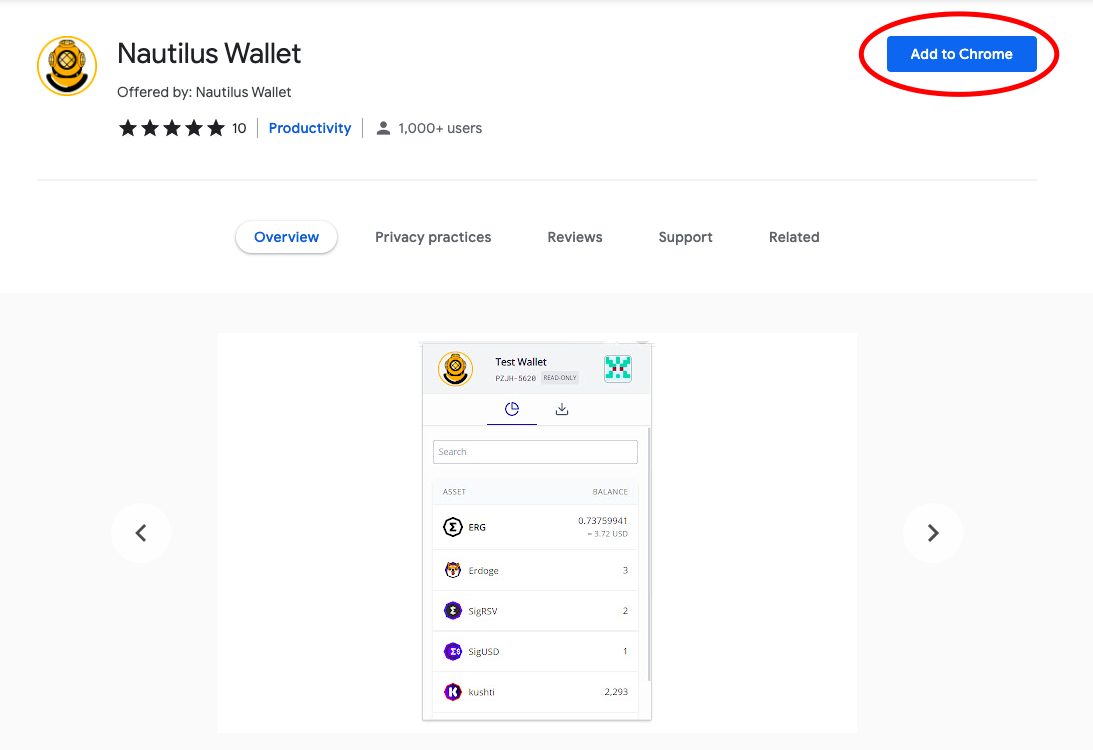
- Click on the Add to Chrome tab (highlighted by the red circle in the above image).
- A pop-up will appear and prompt you to Add extension.
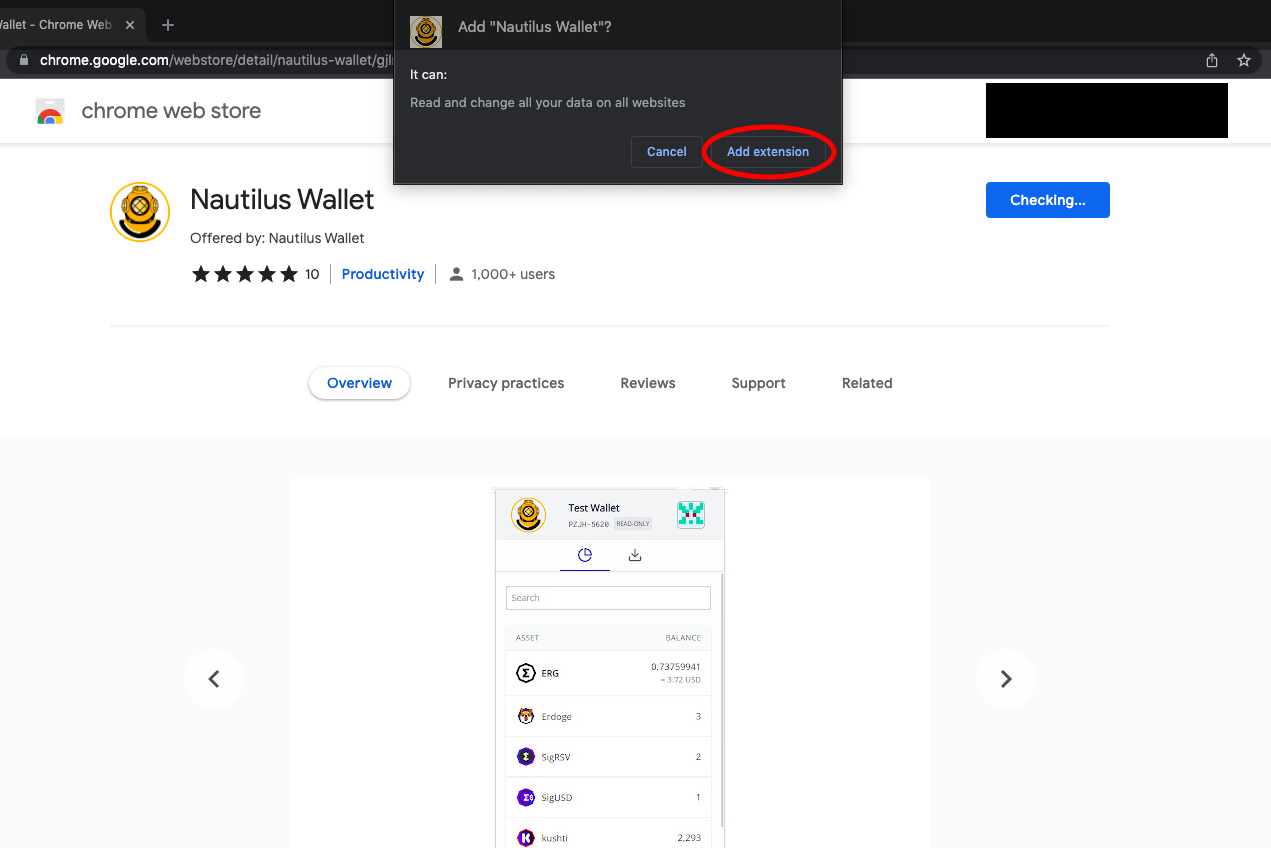
- After selecting Add extension, you will see the following screen:
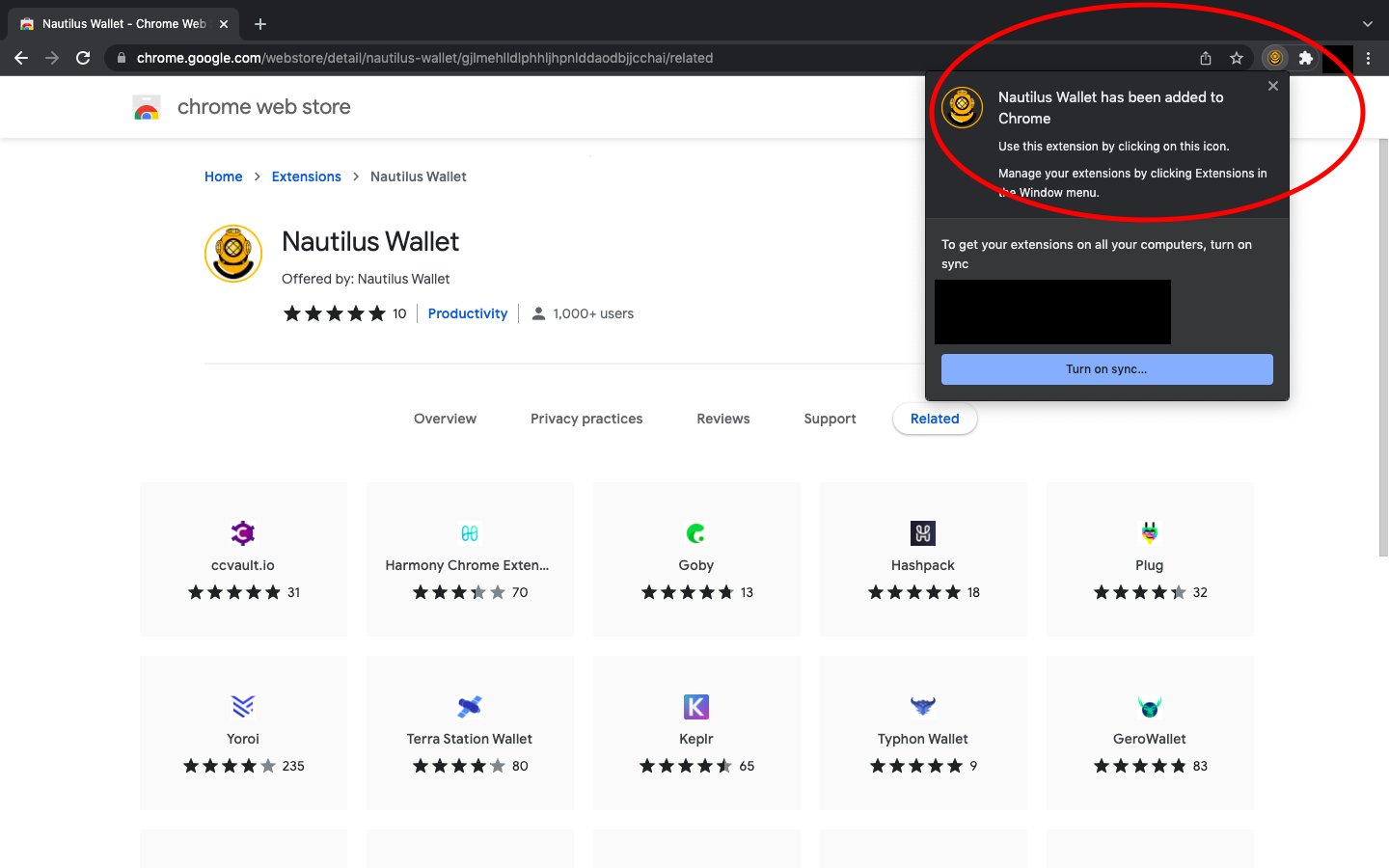
The wallet is now installed on your web browser!
Opening Nautilus Wallet
- Whenever you want to get to your Nautilus Wallet, you simply access the extension tab on your web browser (it looks like a puzzle piece in the top right corner of the browser).
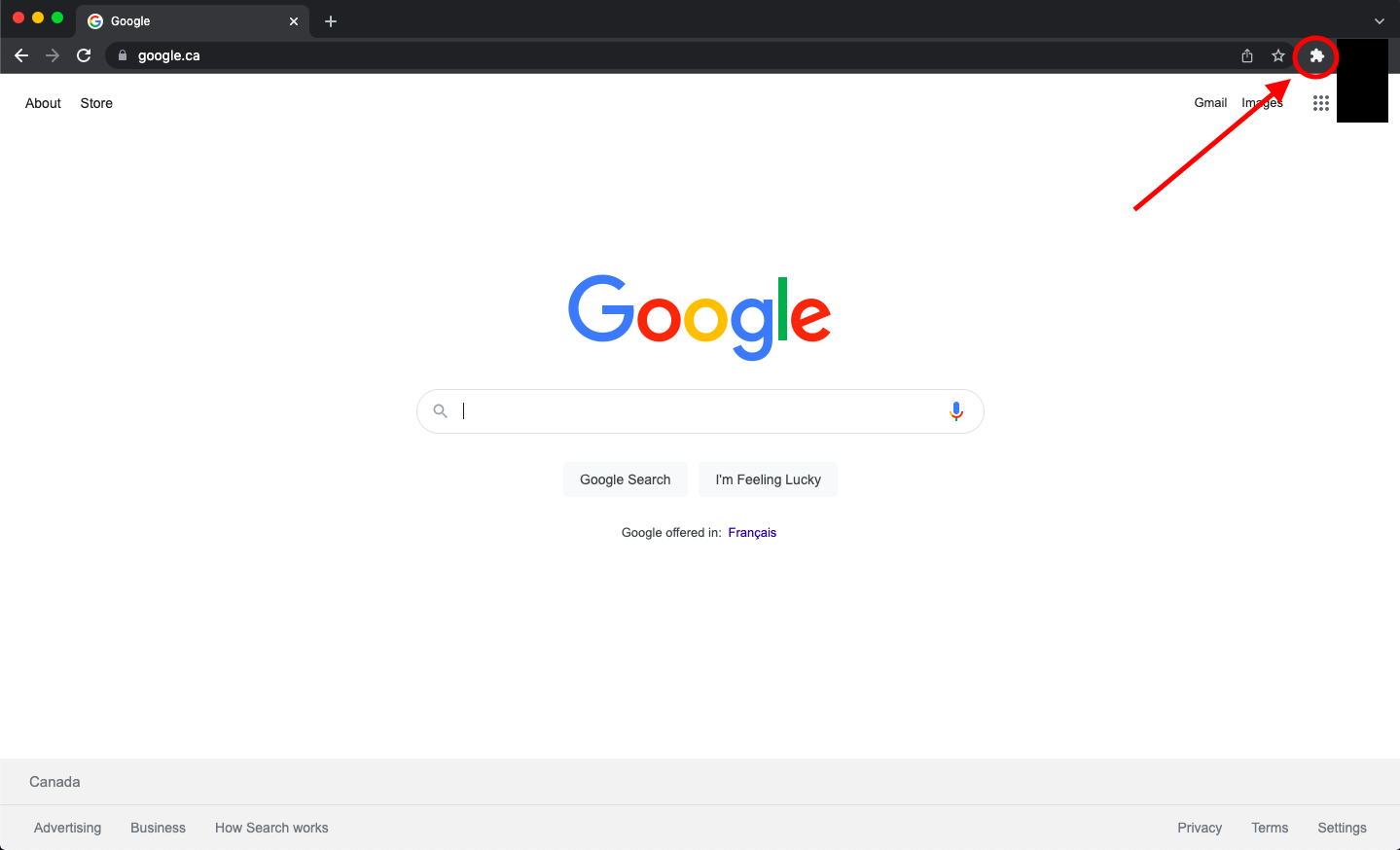
- Click on Nautilus Wallet.
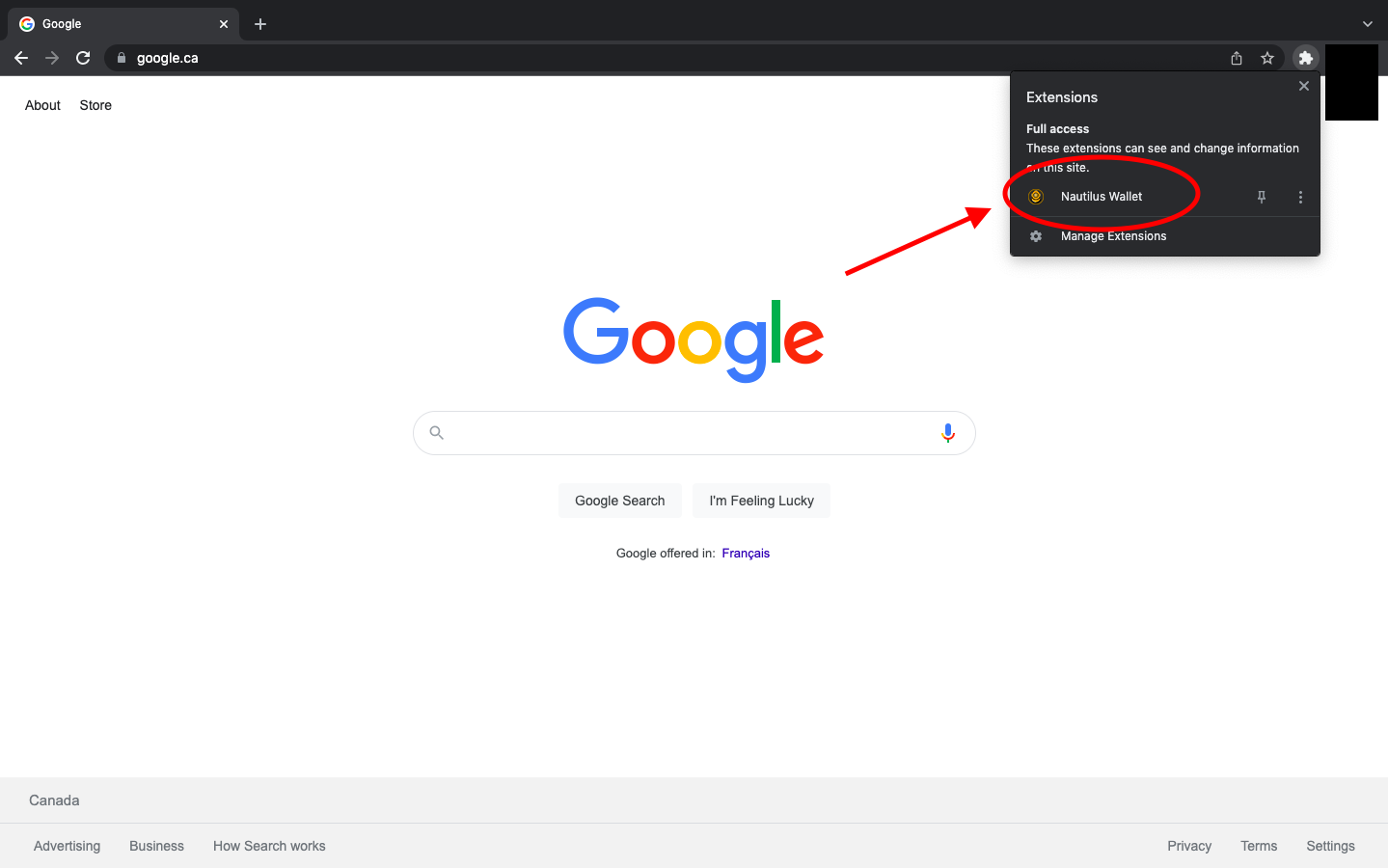
- When opening Nautilus Wallet for the first time, you will be prompted to read and acknowledge the KYA - Know Your Assumptions.
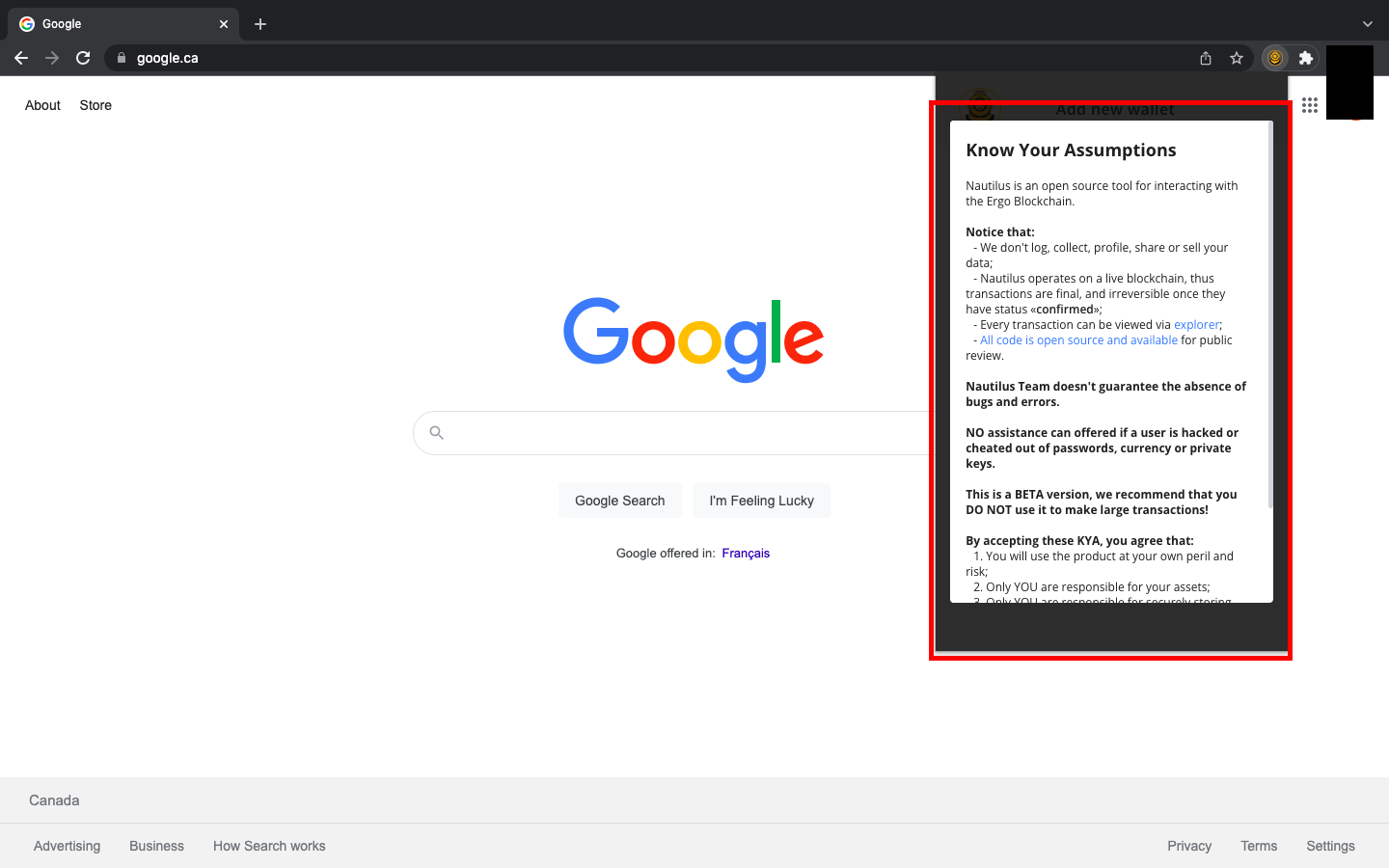
- Scroll to the bottom of the KYA and select I UNDERSTAND AND ACCEPT THE KYA.
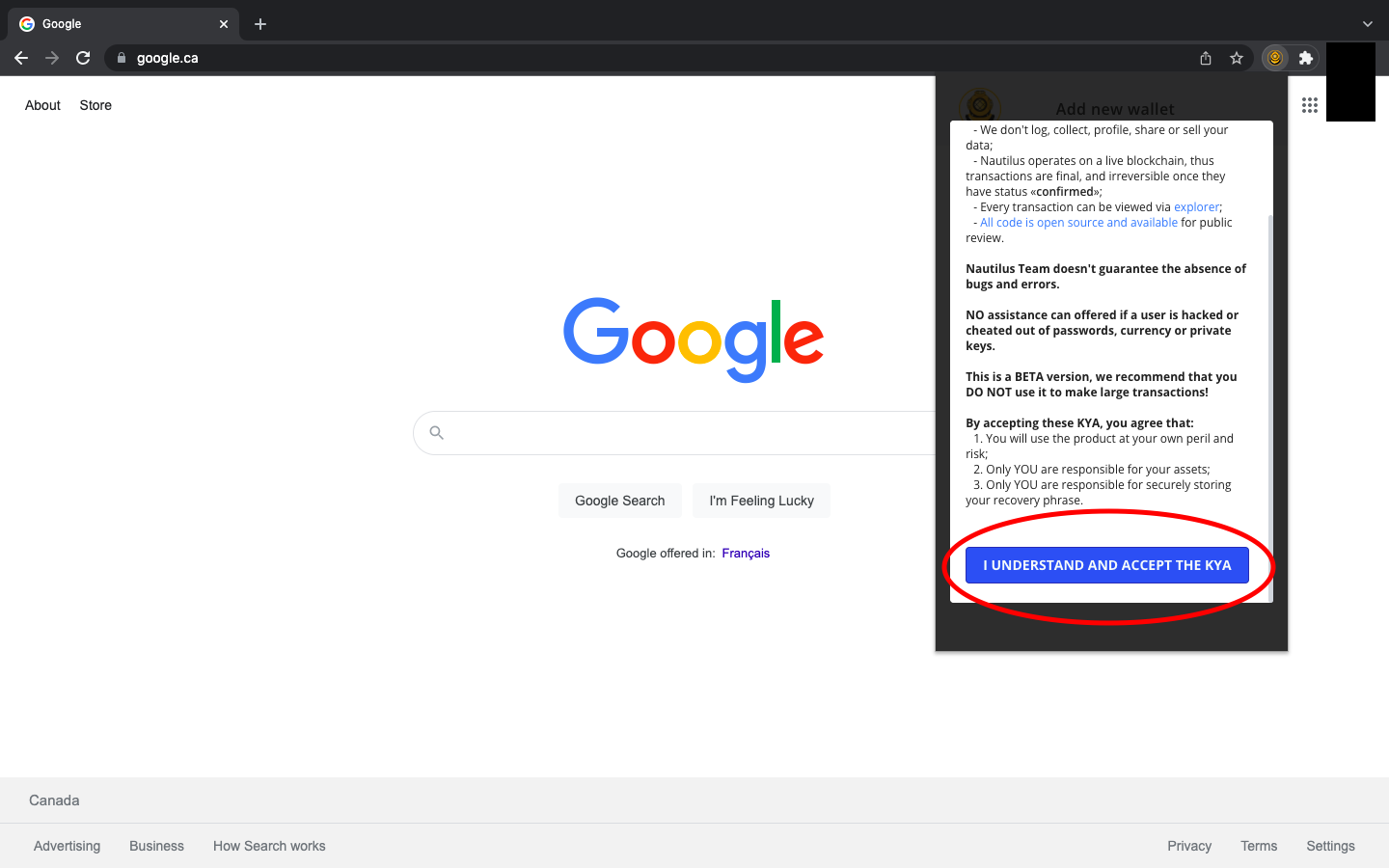
- Once you have accepted the KYA, you will be shown three options:
- Create Wallet
- Restore Wallet
- Load Read-Only Wallet
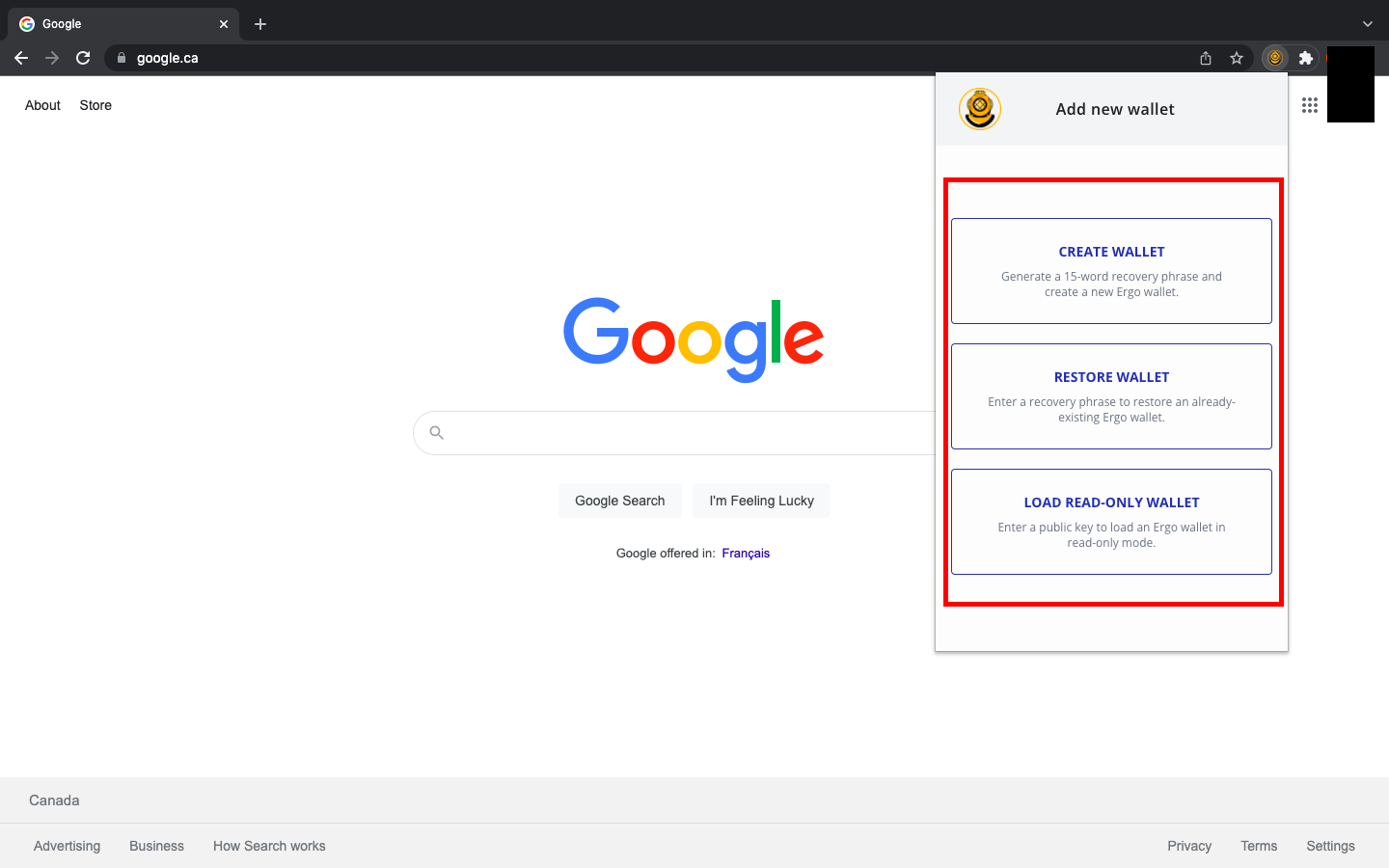
If you have previous experience with Ergo wallets, you can restore your wallet in Nautilus with your seed phrase. If you have any pre-existing Ergo wallets, you can also decide to use Nautilus as a read-only wallet by inputting your public key. If this is your first time using an Ergo Wallet, then you will select Create Wallet.
Creating a Wallet and Understanding the Features
When creating a wallet for the first time, there are a few important security rules to practice. The most important thing is to write your password and seed phrase on paper only. Do not store this information digitally, and do not take photos of it. Your seed phrase is your line of defense against bad actors. If anyone was able to get access to your seed phrase, they could take control of your wallet and all the assets you have stored in it.
After selecting Create Wallet, you will see a screen where you can name your wallet, create your password and write down your recovery seed phrase. It will look like this:
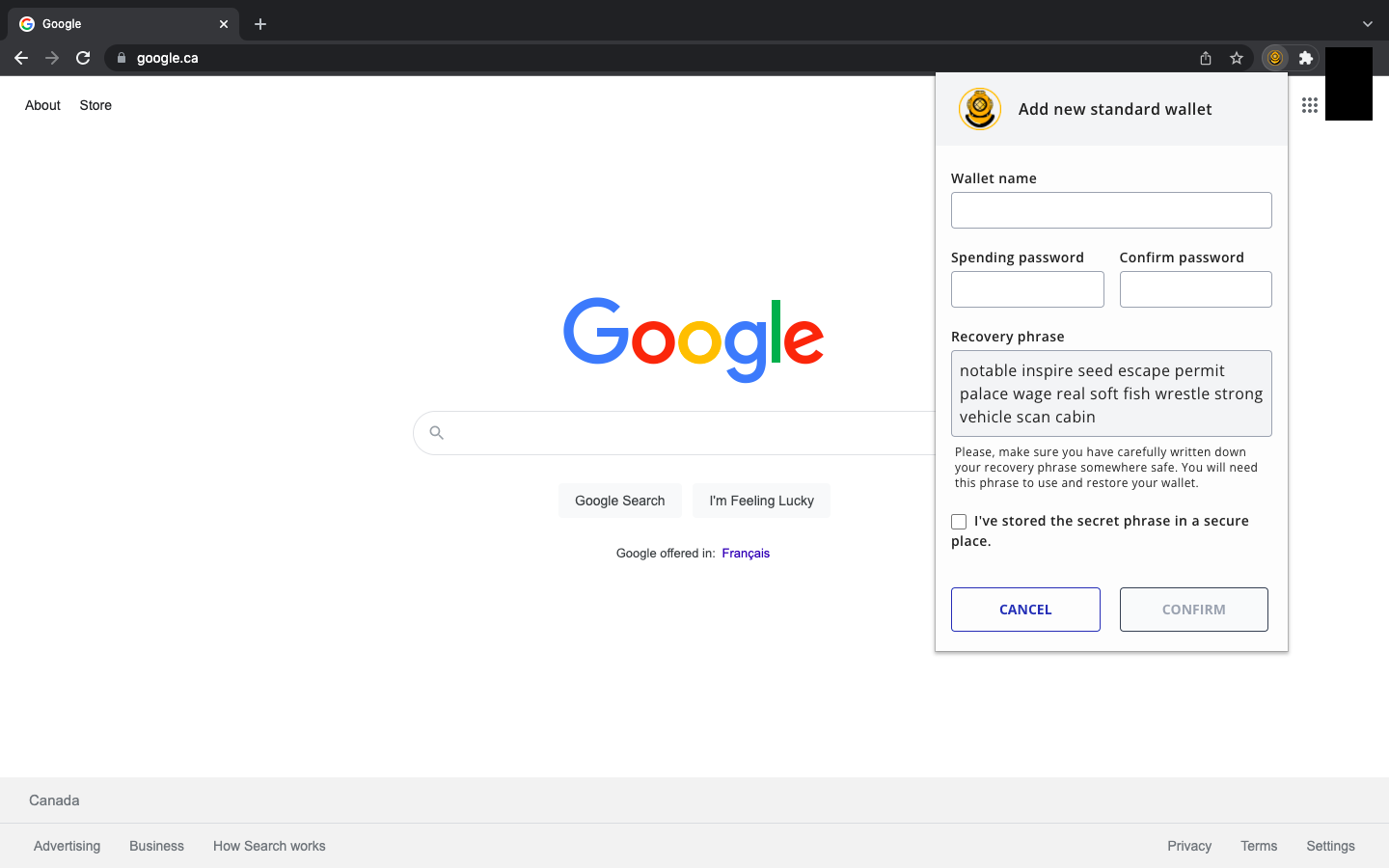
It may seem obvious, but your seed phrase will be different from the one you see in the image above.
REMINDER: Write your seed phrase and password on paper. You can make several copies and store them in safe places.
After creating your password and storing your recovery seed phrase, you will select Confirm and see the following:
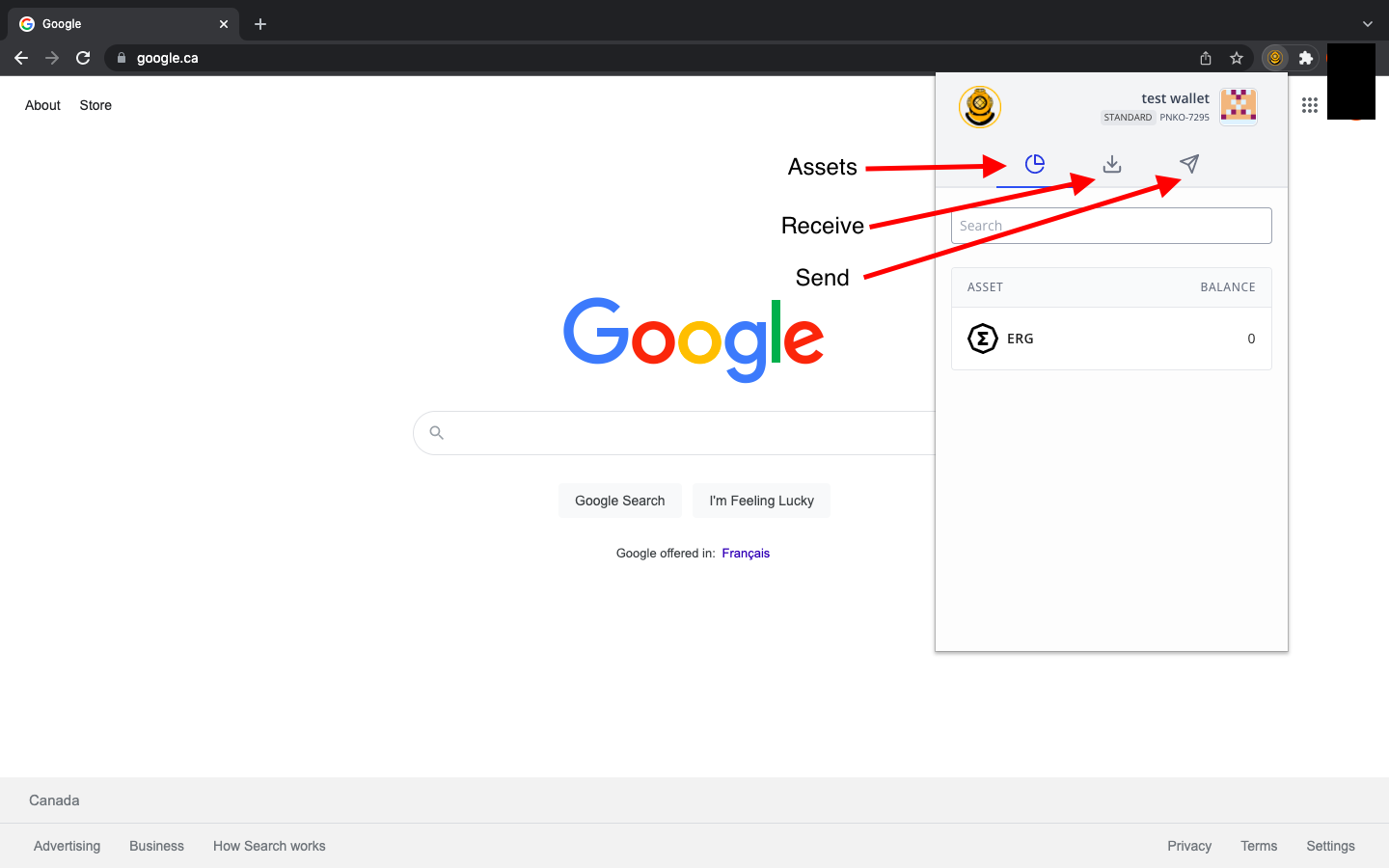
- The Assets tab will display your ERG, NFTs and other native tokens.
- The Receive tab will display the address you share to receive any Ergo assets.
- The Send tab will allow you to input a receiving address so that you can send Ergo assets/payment to another wallet.
When preparing to receive assets, you will see the following screen after selecting the Receive tab:
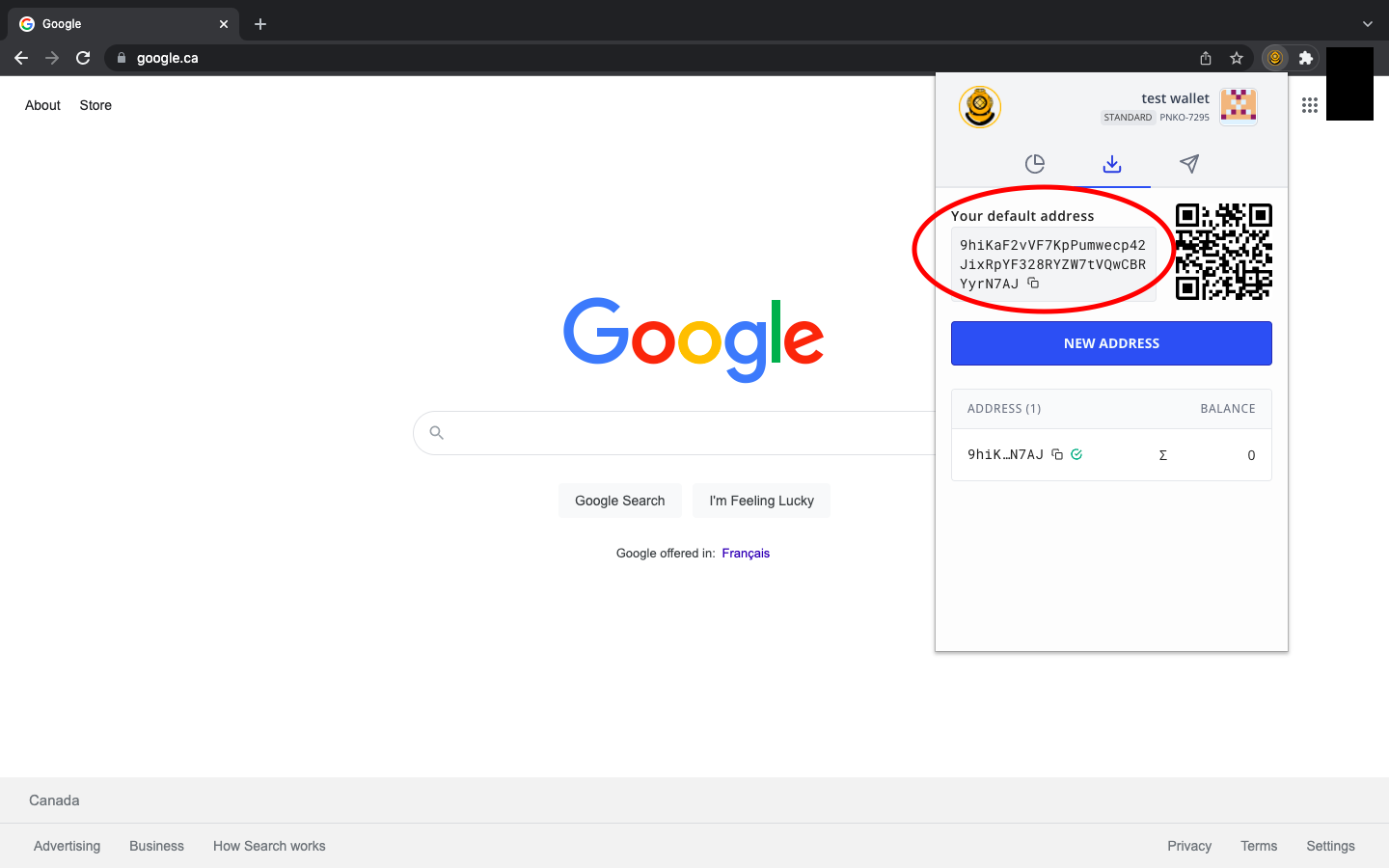
Your receiving address will appear as a series of numbers and letters, similar to the address in the above image. If this is your first time using an Ergo wallet (or any other crypto wallet), please note that your address will be completely different from the one you see in the image.
If you are sharing your receiving address, you simply copy it to your computer clipboard and send it to the person or smart contract you are interacting with. You can easily copy the address by clicking on the two overlapping squares at the end of the address.
When sending assets to a person, exchange or smart contract, you will see the following:
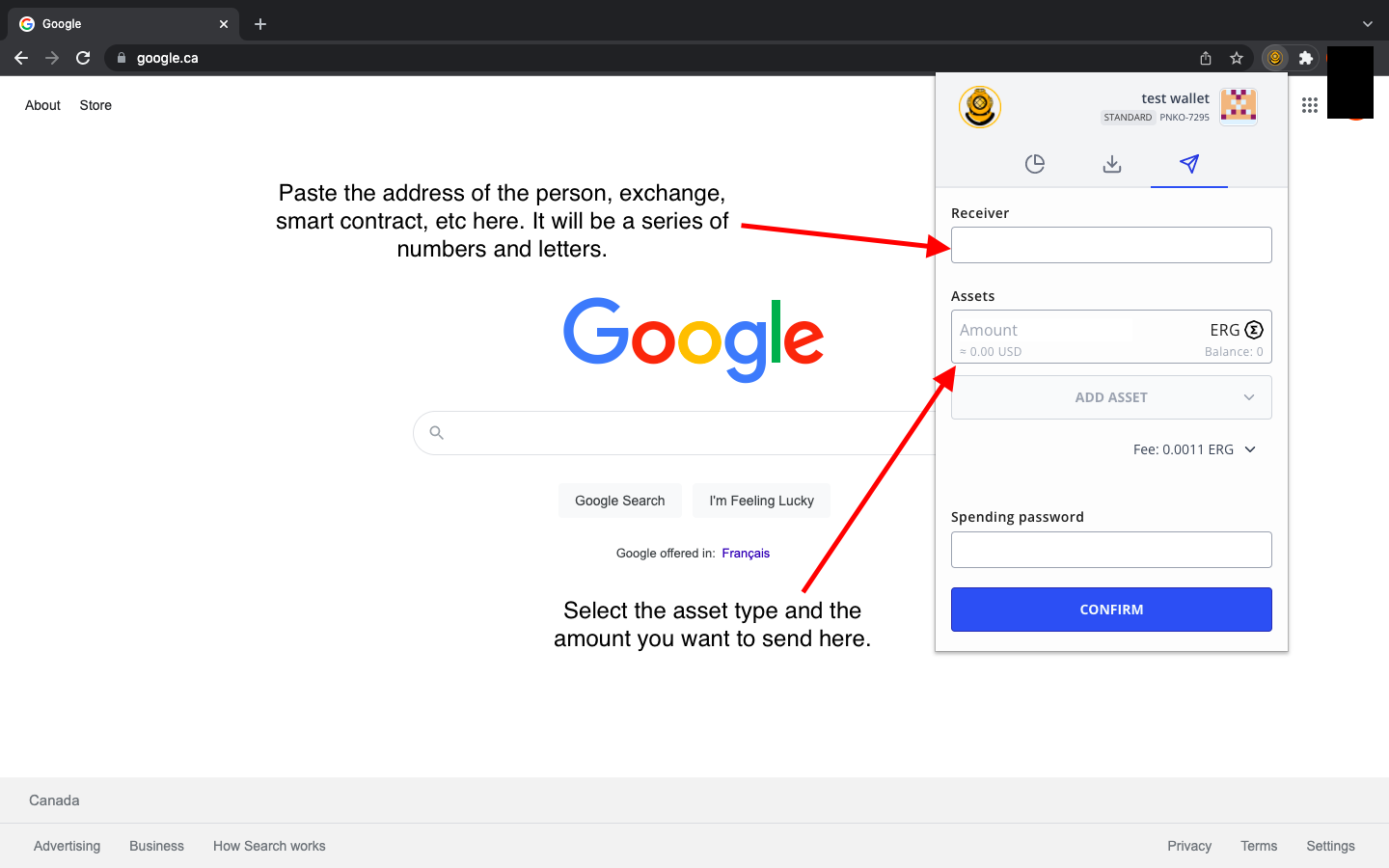
You will input the receiving address of the person, exchange, smart contract, etc. Then, you will select the asset (it could be ERG, a native token, an NFT, etc.) and input how much you are sending. To complete the transaction, you type your wallet password and then select Confirm. That’s it! This is how you send and receive assets in the Nautilus Wallet.
There are a few more features to be aware of as you become more familiar with the interface of the wallet. You can access more options by clicking on the wallet name in the top right corner of the application.
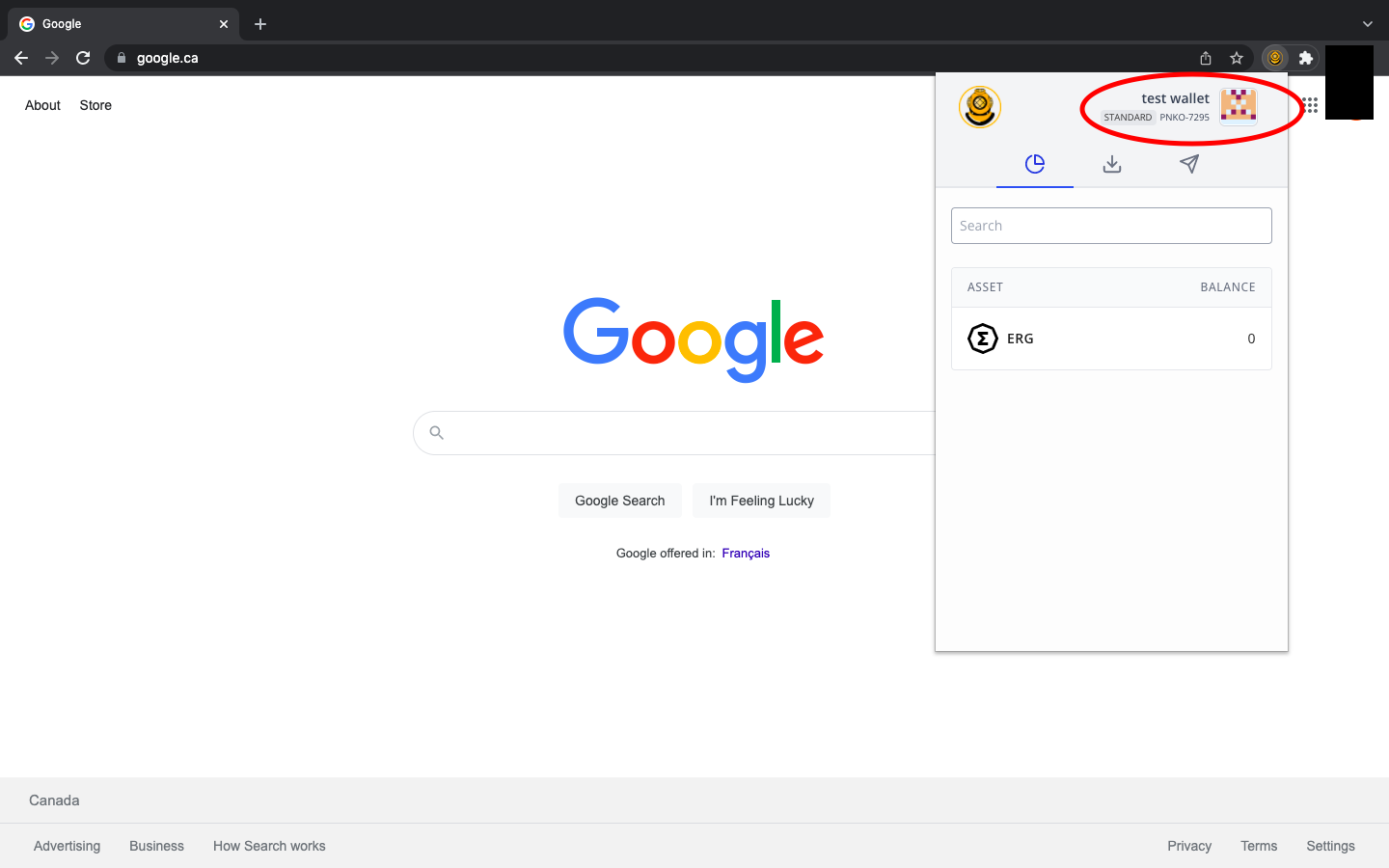
After clicking on the wallet name, you will initially have four (4) options:
- Add new wallet - simply allows you to add additional Ergo wallets
- Expand view - allows you to view the application as a full web page
- Settings - additional settings that we will discuss below.
- About - provides application information and an Ergo wallet receiving address to contribute financial support to the continuing development of the wallet.
If you use this wallet to interact with any decentralized applications (dApps), you will see a fifth option (Connected dApps) that will allow you to control which dApps are connected to your wallet.
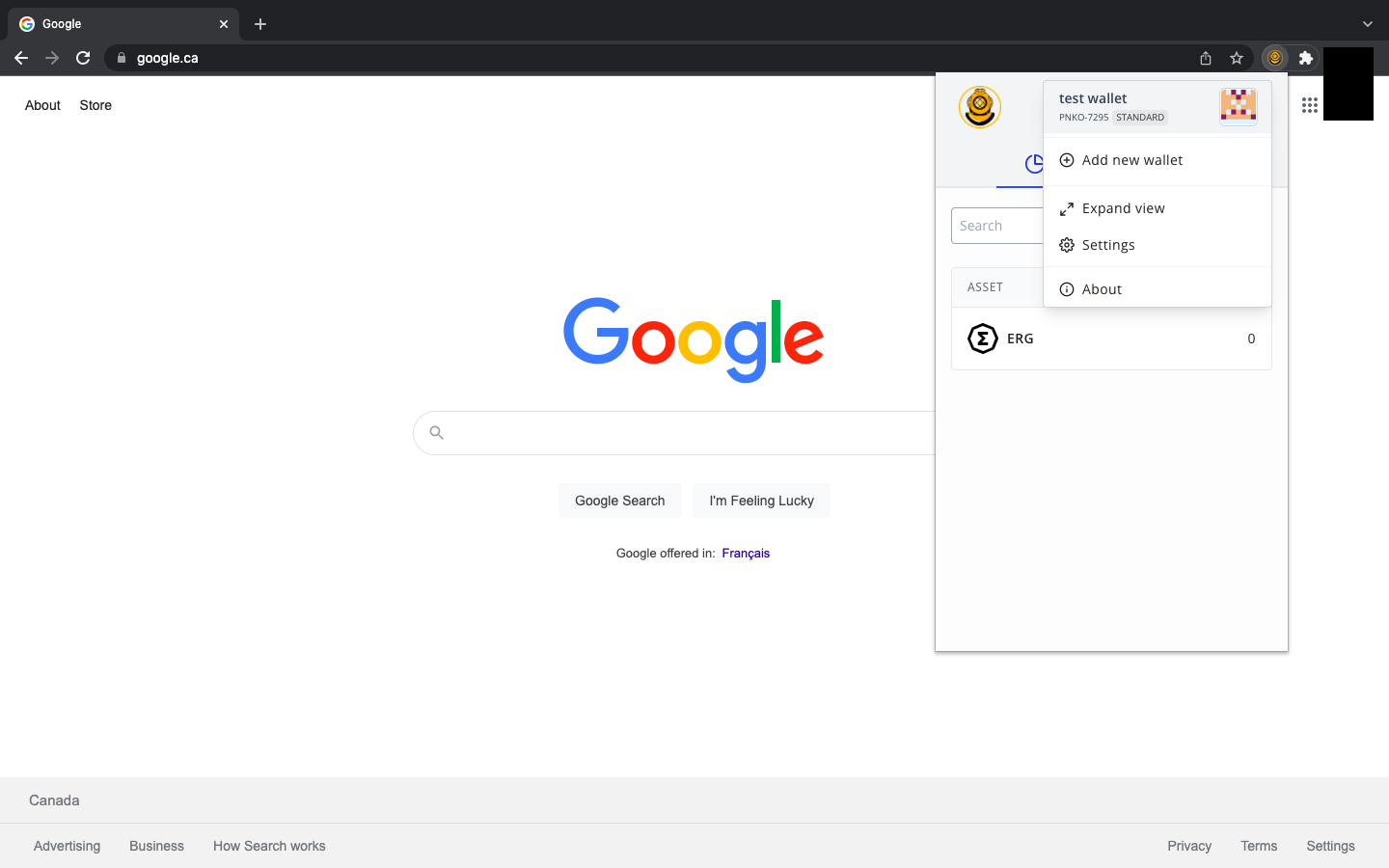
Let’s take a look at the Settings option. As was mentioned earlier in this guide, the Nautilus Wallet has some unique privacy features.
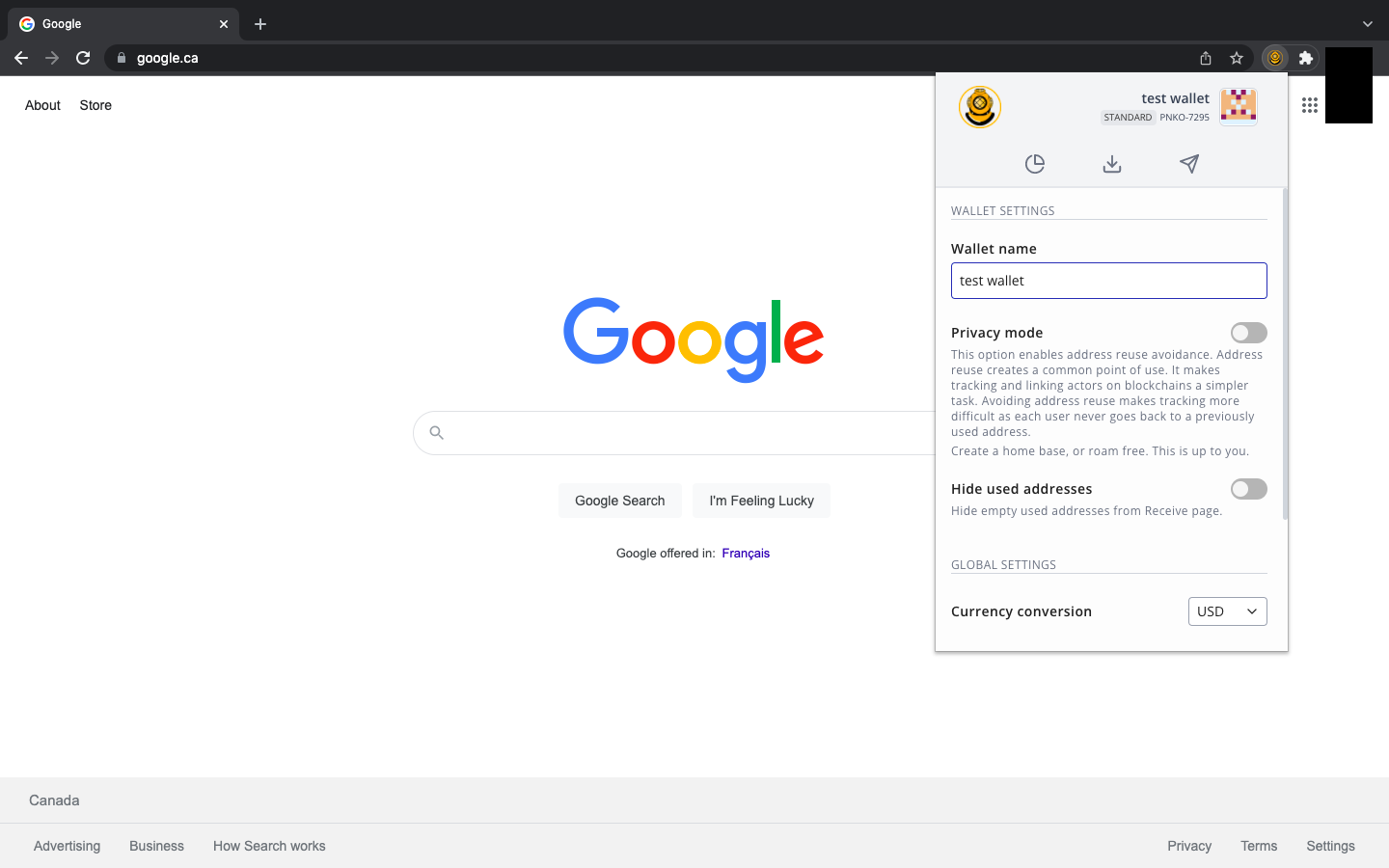
As you can see from the above image, there is a Privacy mode option. When you turn on this feature, your wallet will create a new receiving address for every new transaction. In other words, whenever you receive any assets, the next time you go to copy your receiving address, (under the Receive tab) you will be provided with a completely new address. This feature makes it more difficult for bad actors or invasive entities to track your activity on the blockchain. Enabling this feature offers more privacy with regards to your finances.
Additional features allow you to hide previously used receiving addresses and to adjust the ERG conversion to your preferred fiat currency.
Well done! You have set up your Nautilus Wallet and have explored all the features built into this product. With this wallet, you can easily interact with several dApps in the Ergo ecosystem, including** ErgoPad, the NFT Auction House, ErgoDEX, and SigmaUSD.**
Share post
November 28, 2025
November 24, 2025

October 12, 2025

September 30, 2025


August 13, 2025

July 9, 2025

May 12, 2025
December 9, 2024